The Trusted Gulf Tax Engine
ZATCA Phase 2 ready · Built for the Gulf
From the till
to the tax return.
One system that raises the invoice, signs and clears it with the tax authority, posts it to a real ledger, takes the goods out of stock and carries all of it into your VAT return.
- 22
- document templates
- 24
- reports
- 6
- Gulf tax regimes
- 163
- help topics, both languages
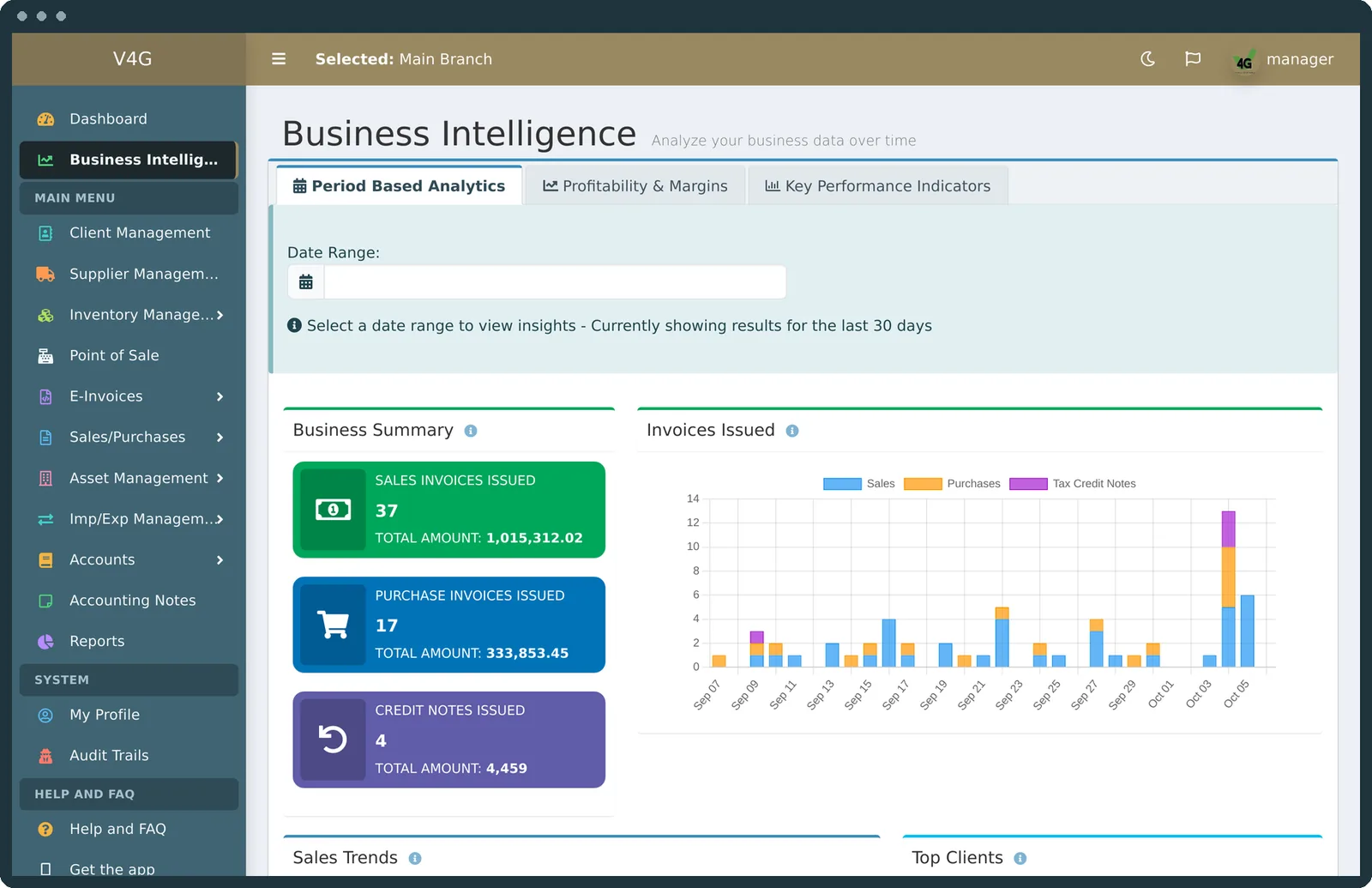
See it in action
V4G, in under four minutes.
From the first invoice to the VAT return, the till, your phone and v4g AI. Narrated in Arabic.
One system, not five that talk to each other
A document, end to end.
Most businesses stitch this chain together from a billing package, an e-invoicing gateway, an accounts system, a till and a spreadsheet. Every join is a place where the invoice, the XML and the ledger line quietly stop matching. V4G has no joins, because it has no parts.
- 01
Raise
A template that matches the supply: standard, simplified, export, asset, margin scheme.
- 02
Sign
UBL XML, cryptographic stamp, hash chained to the invoice before it, QR on the face.
- 03
Submit
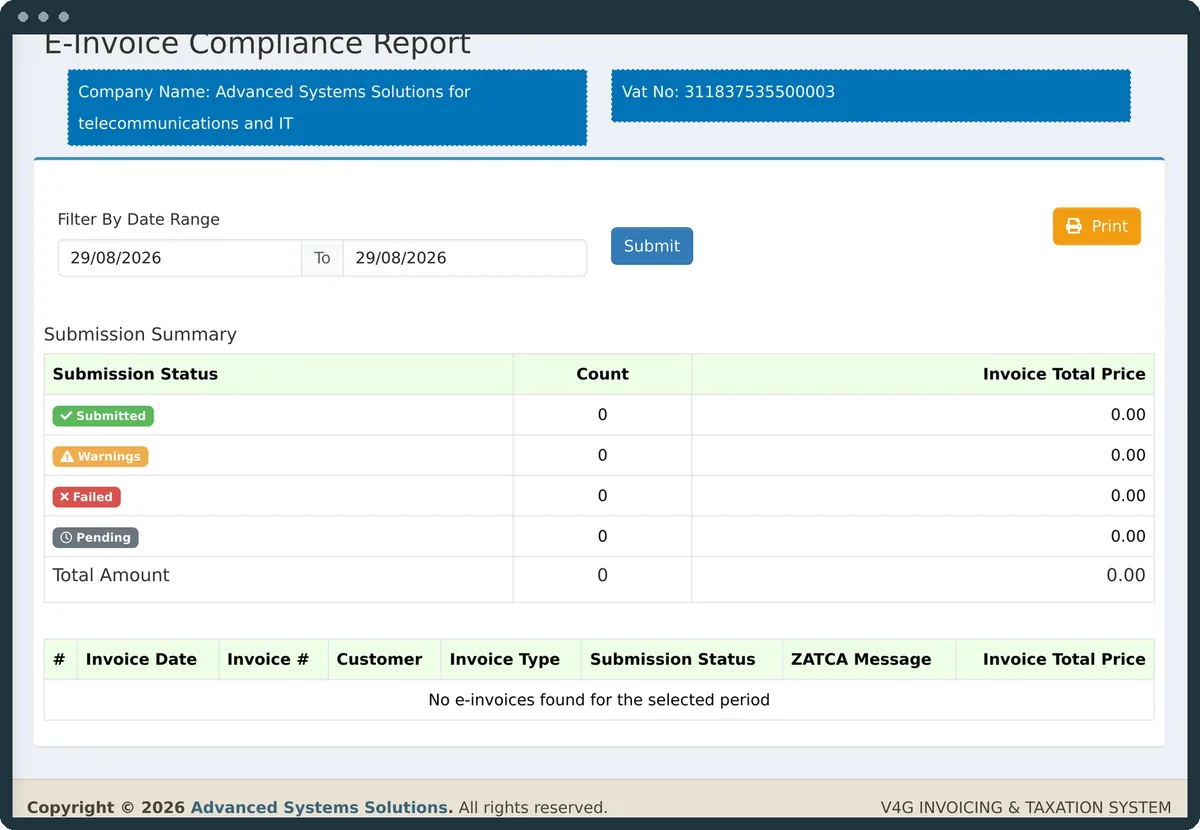
Clearance for a standard invoice, reporting for a simplified one. The response is stored.
- 04
Post
Ledger entries, tax accounts, the customer's balance and the stock, in one transaction.
- 05
Report
Statements, aging, margins and the VAT return, drawn from those very same rows.
Everything in one place
Five bodies of work. One login.
E-invoicing & ZATCA
Onboarding from inside the app, signing, clearance and reporting, the QR, the submission log and certificate expiry alerts.
Documents
Sales, purchases, exports, imports, assets, credit and debit notes, proformas and quotes, emailed as PDF and XML.
Accounting & tax
Chart of accounts, ledgers, five financial statements, VAT returns, aging and statements of account.
Operations
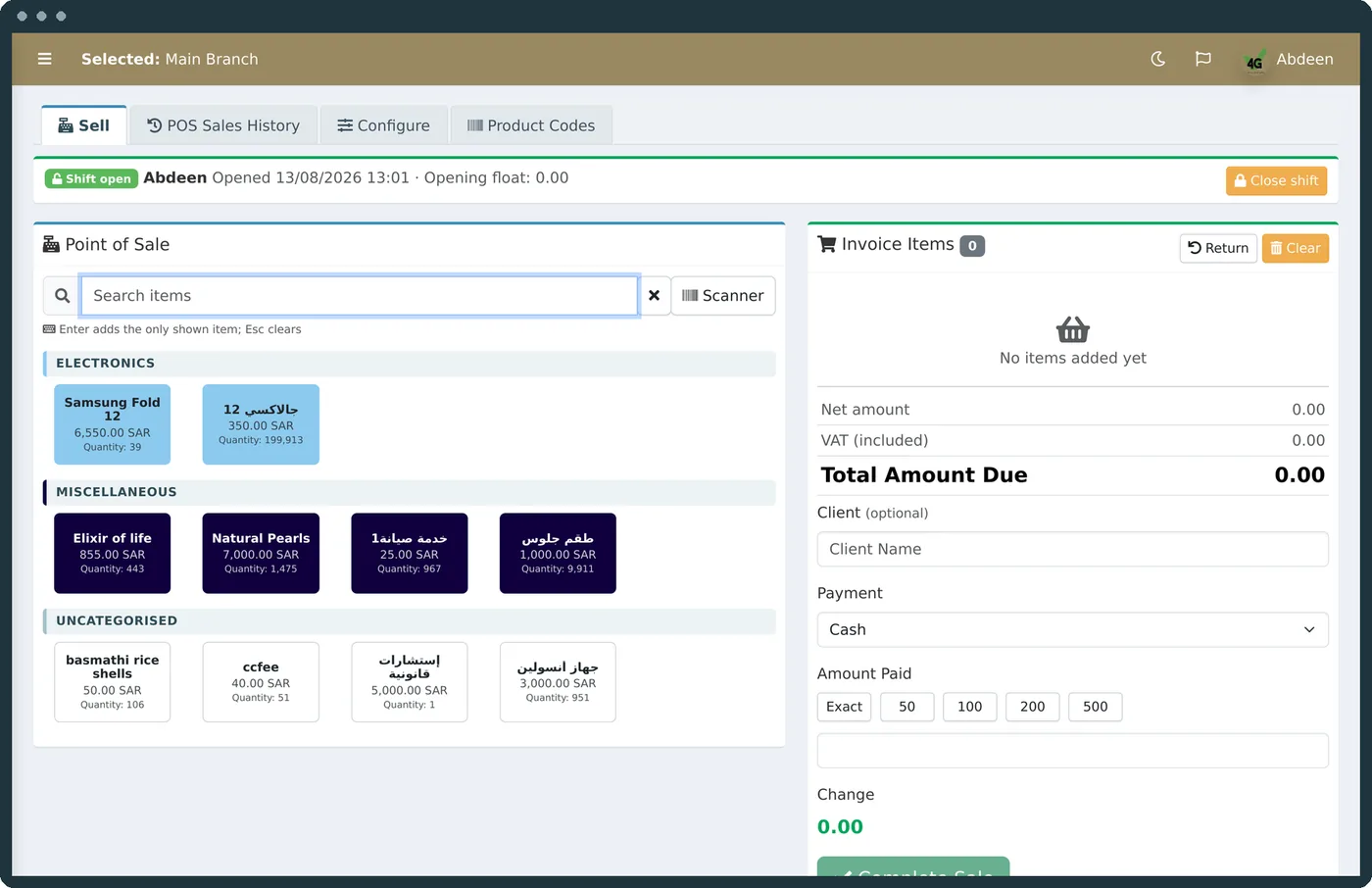
A real till, barcode and QR scanning, shelf labels, stock and materials, swaps, staff and payroll.
The platform
Business intelligence, roles and audit, themes, dark mode, the mobile app and built-in help.
v4g AI
Ask your books a question in plain Arabic or English, with the AI provider you choose.
01
Clearance, reporting, and the difference.
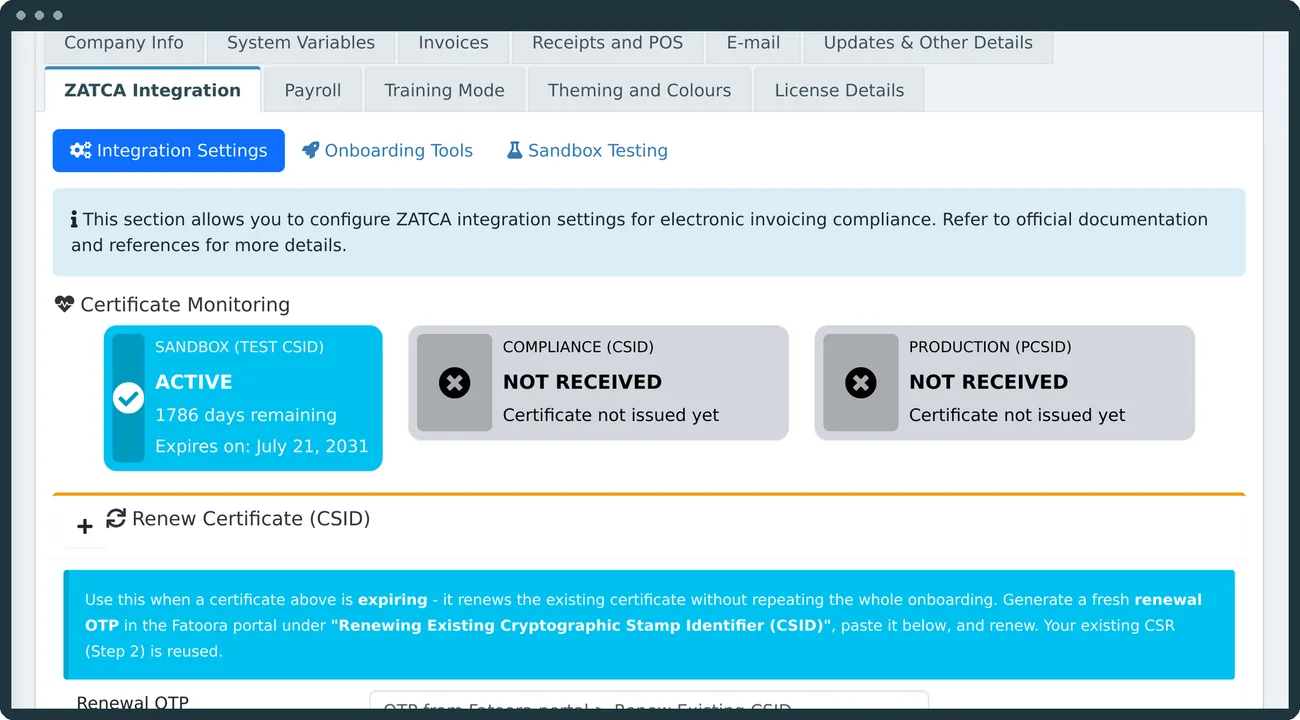
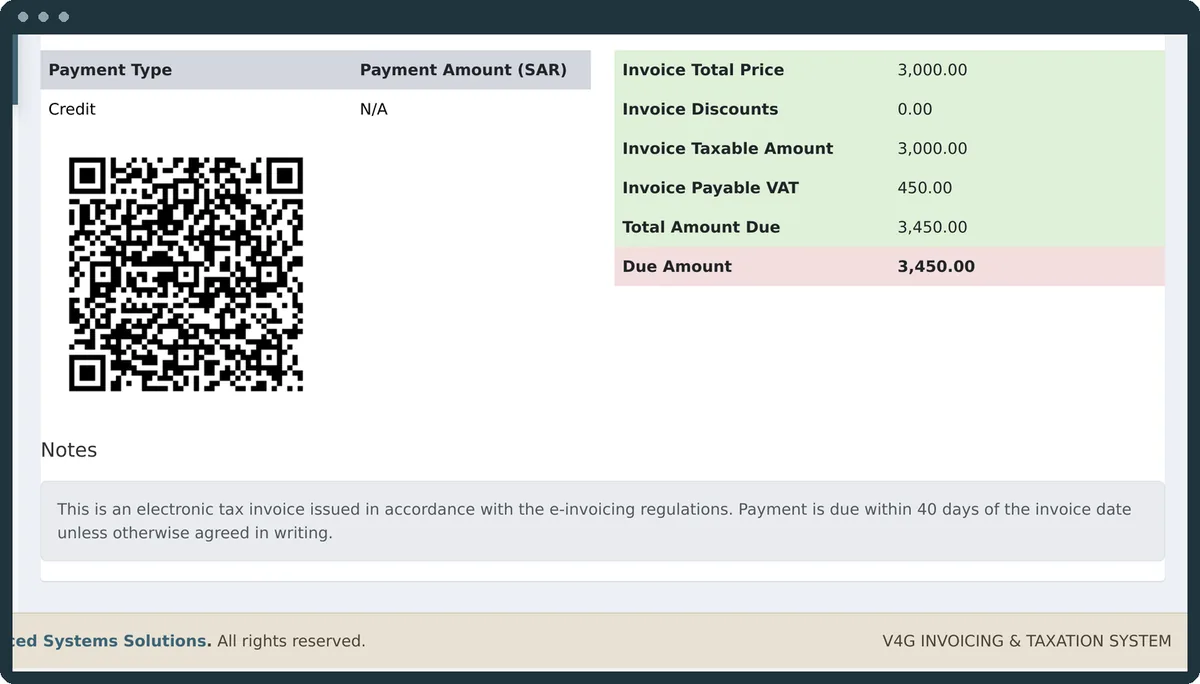
Onboarding to production happens inside the interface, with the compliance checks run for you. Standard invoices are cleared before the customer gets them, and simplified ones are reported. Every response ZATCA sends back is kept.
- UBL 2.1 XML, signed with your cryptographic stamp
- Invoice hash chained to the one before it
- QR on every face, with the full nine tags on simplified invoices
- Certificate expiry warnings on the dashboard and by email
- A sandbox and a training mode to rehearse on, safely
02
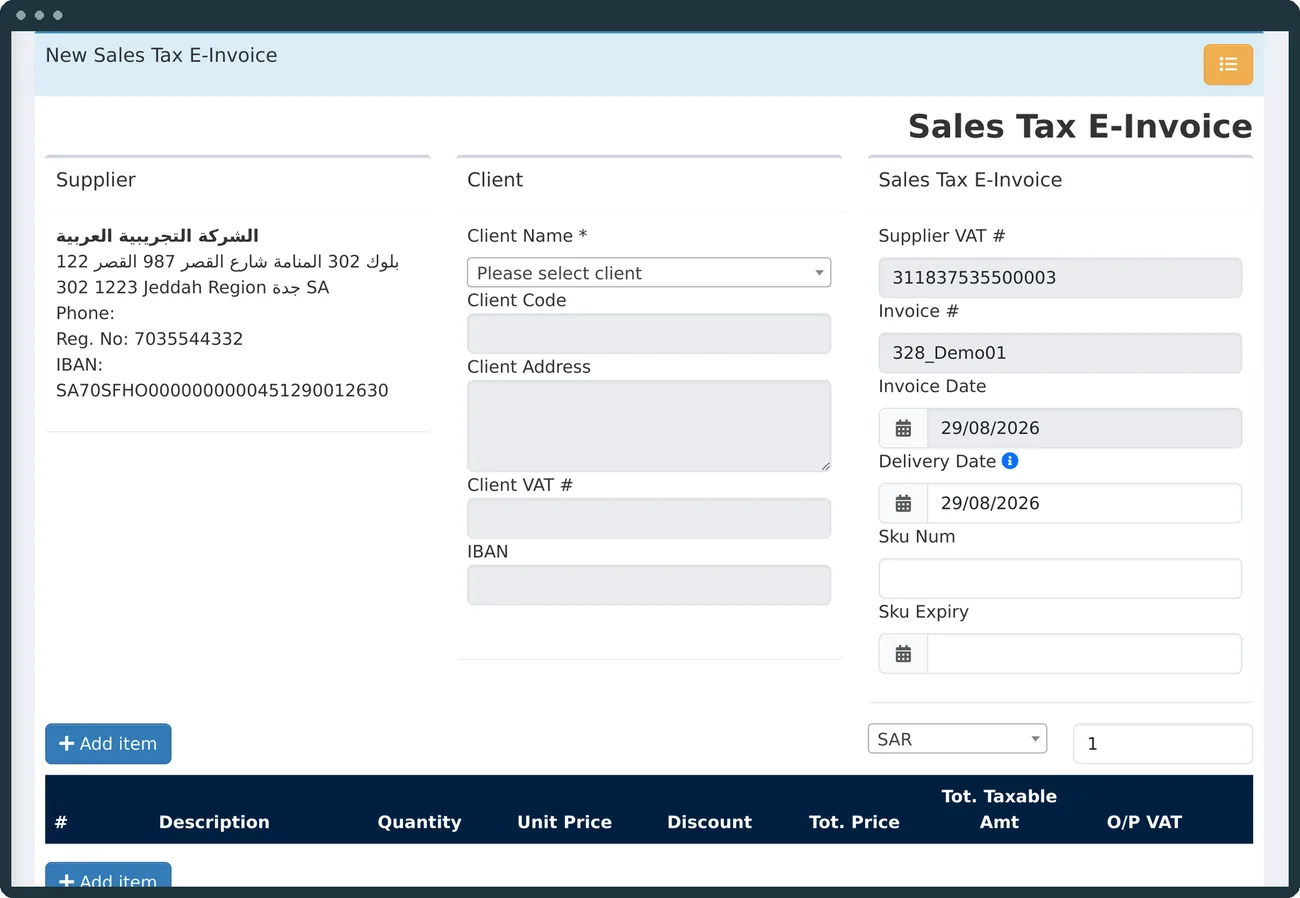
Twenty-two forms, because the tax treatment differs.
A template is not a layout. It decides which fields are required, how VAT is computed, which accounts are posted to and what the document is called on the return.
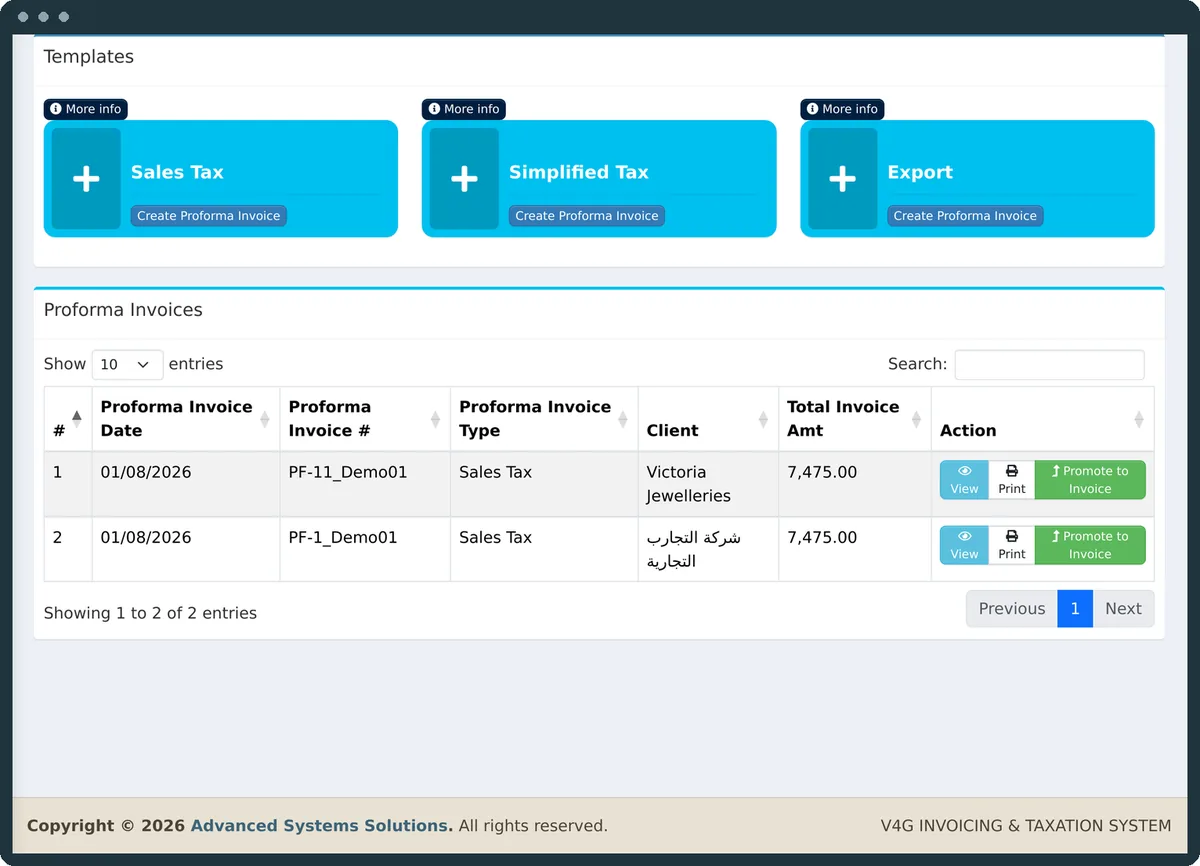
Promote a quote to an invoice in one click, email any document with its PDF and XML attached, and open the PDF straight after saving.
03
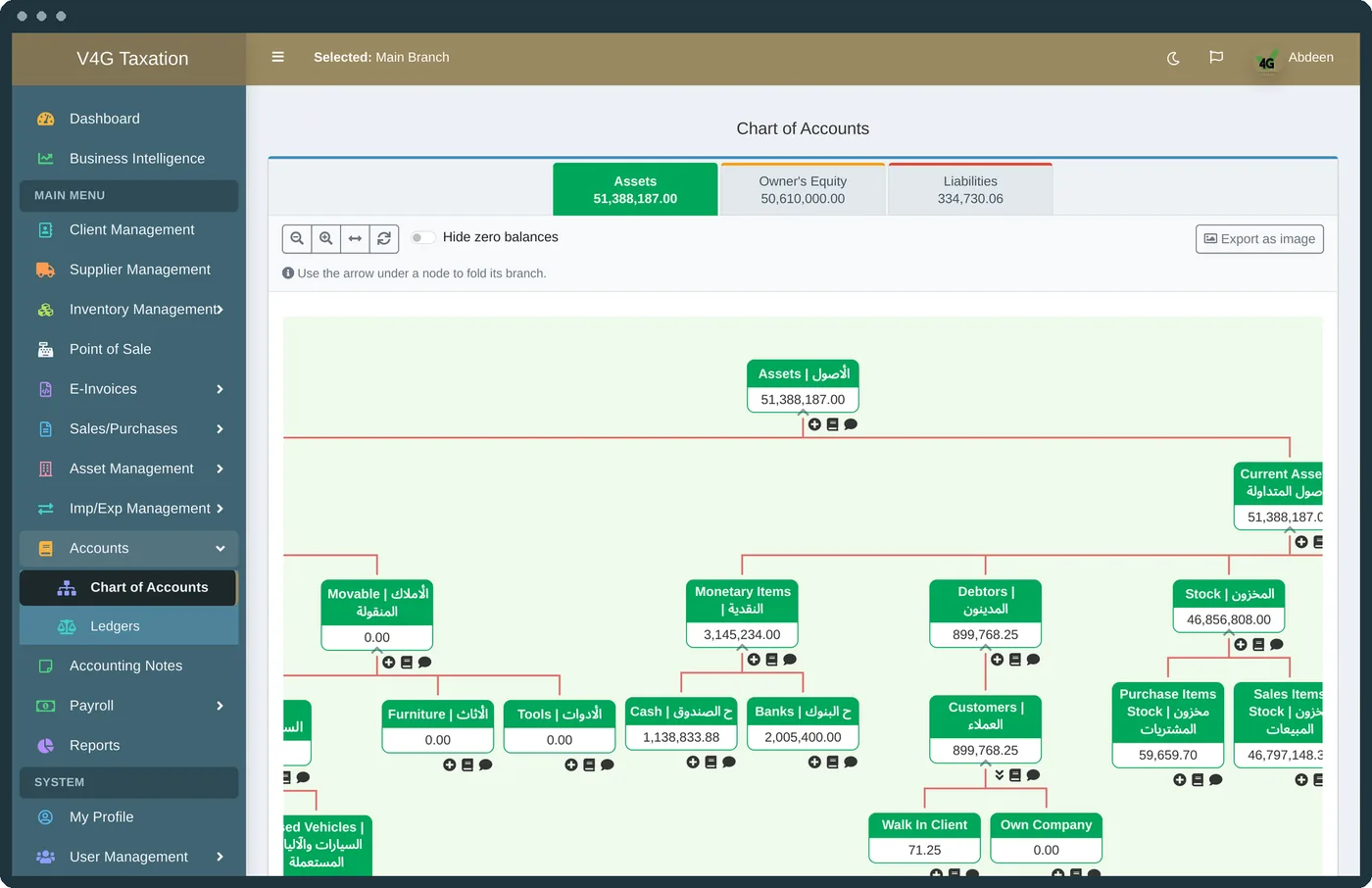
A real chart of accounts. Real statements.
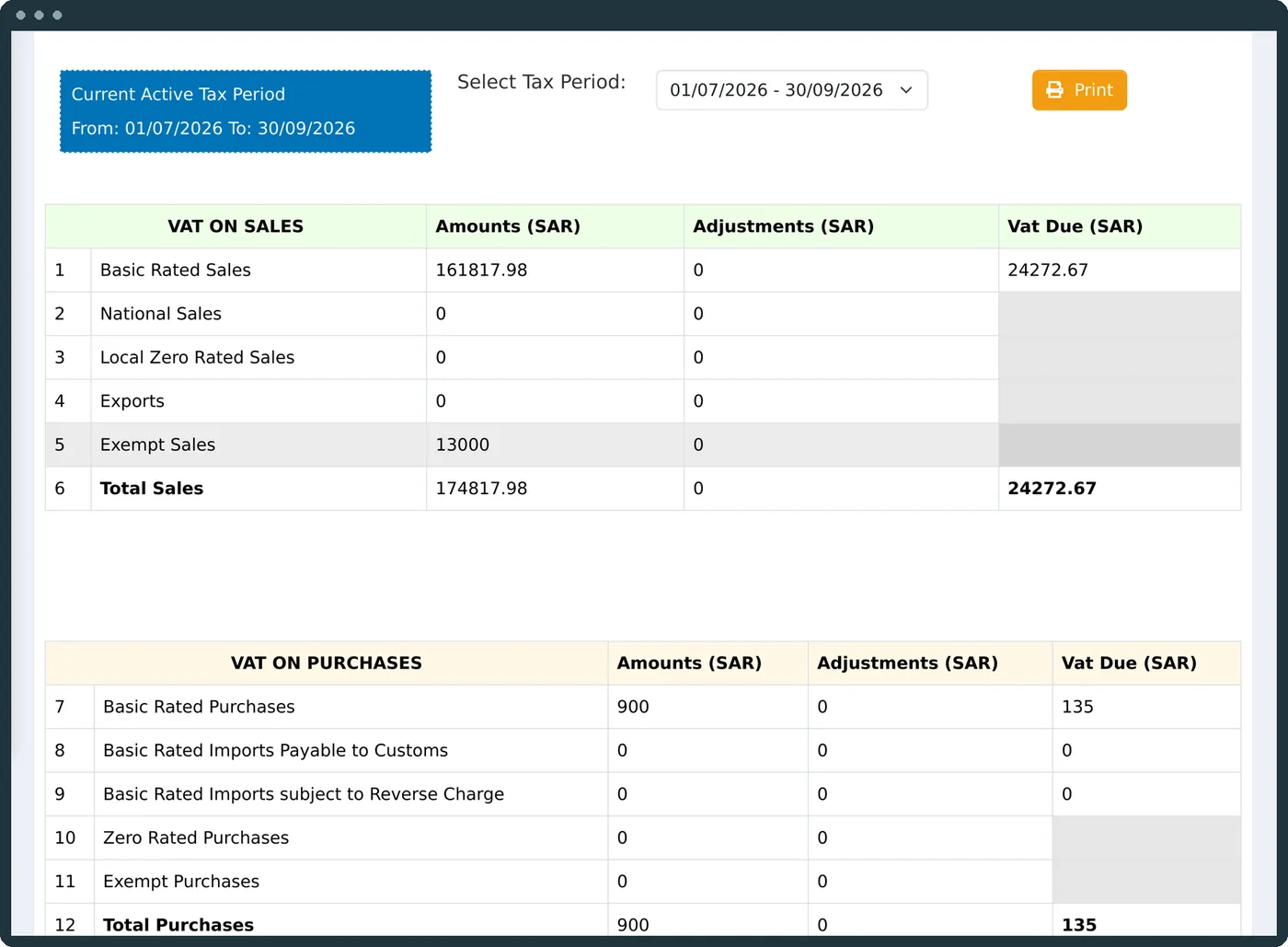
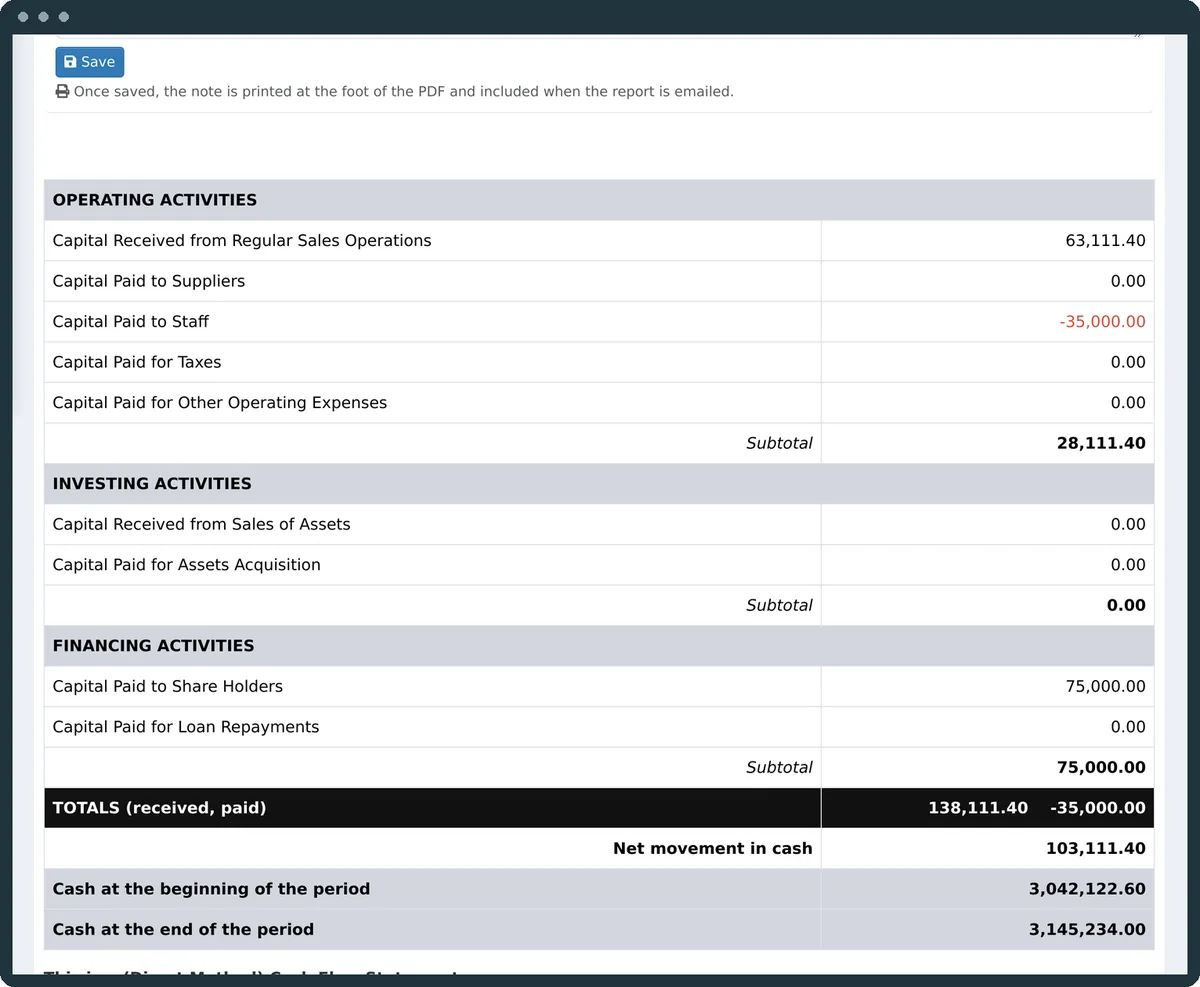
Every sale, purchase, payment and payroll posts itself to a double-entry ledger. The statements and the VAT return are drawn from the very same rows, so they always agree with the documents.
Complies with International Financial Reporting Standards (IFRS)
04
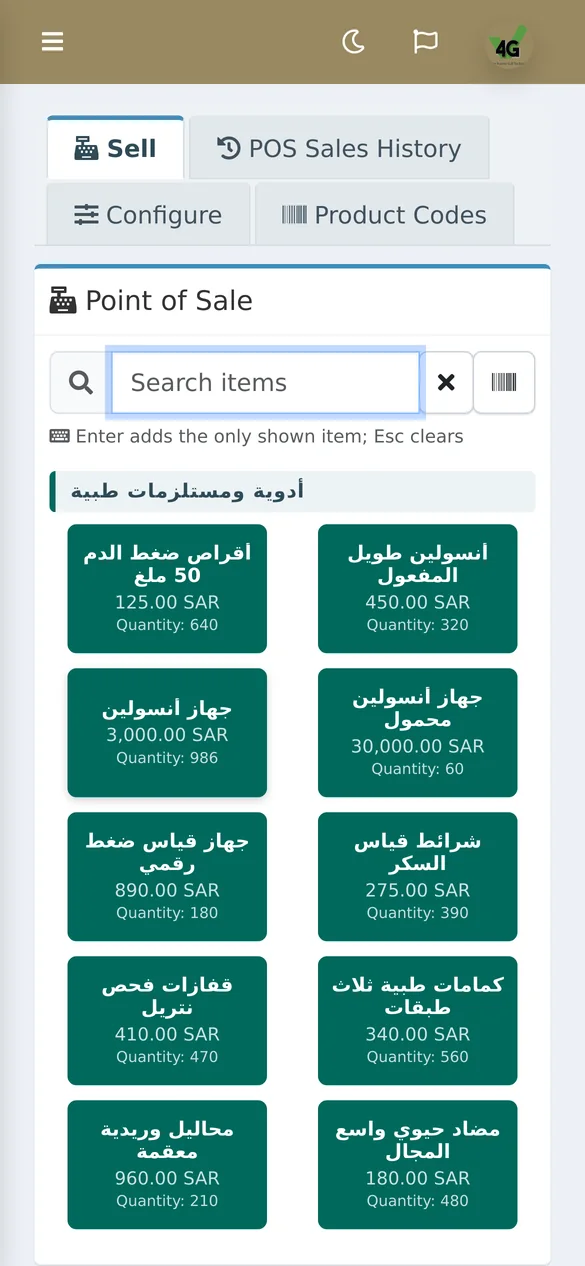
A till, not an invoice form with big buttons.
Touch-first tiles, hands-free scanning, items sold by weight, cash drawer shifts and a receipt that is a real simplified tax invoice. It even sounds right: every action has its own tone, so a cashier works without looking.
- Barcode and QR scanning, including the phone's camera
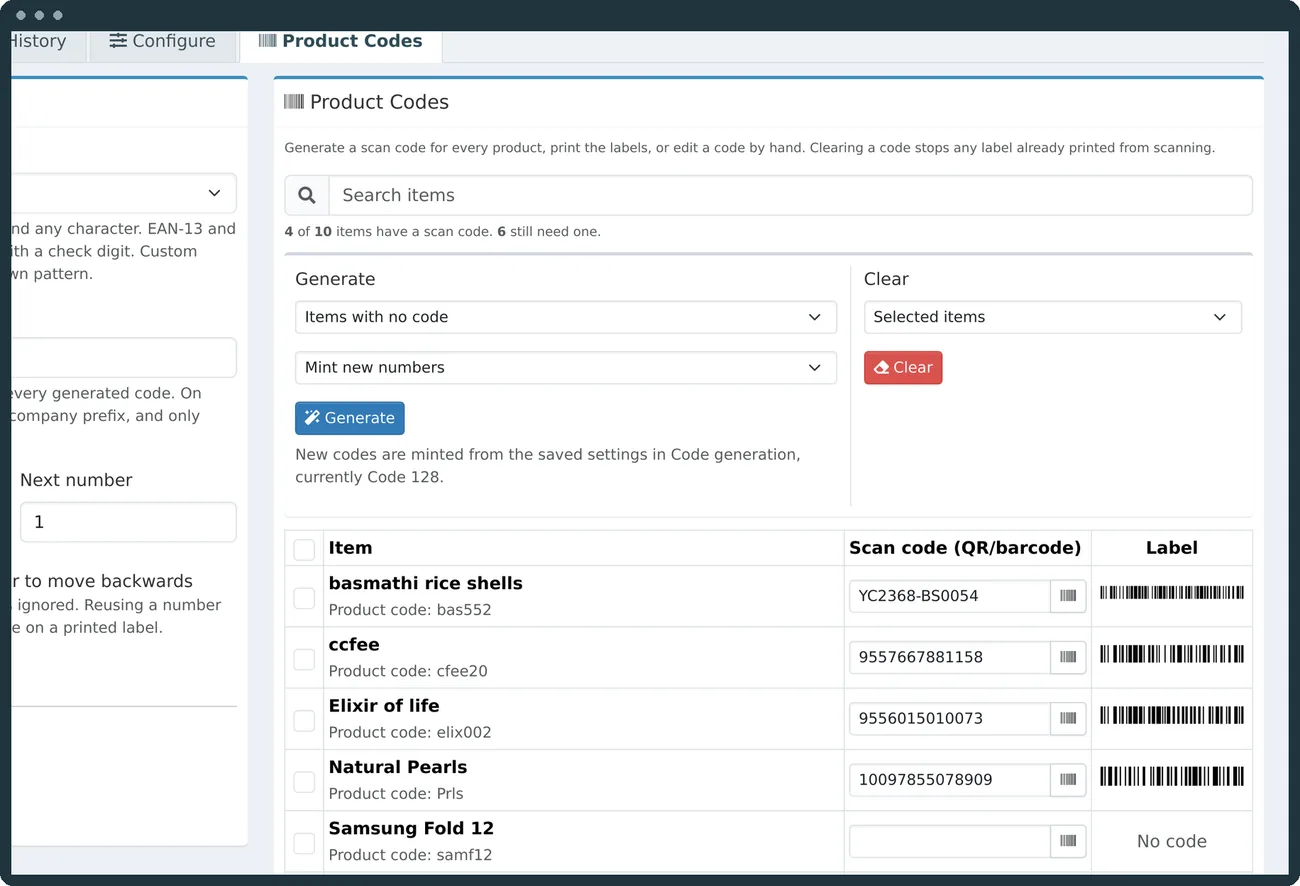
- Generate product codes and print shelf labels in EAN-13, Code 128 or QR
- Stock and materials, expiry dates, adjustments and stock swaps
- Staff records and monthly payroll that post to the ledger
Hardware support
The POS module takes V4G to the counter.
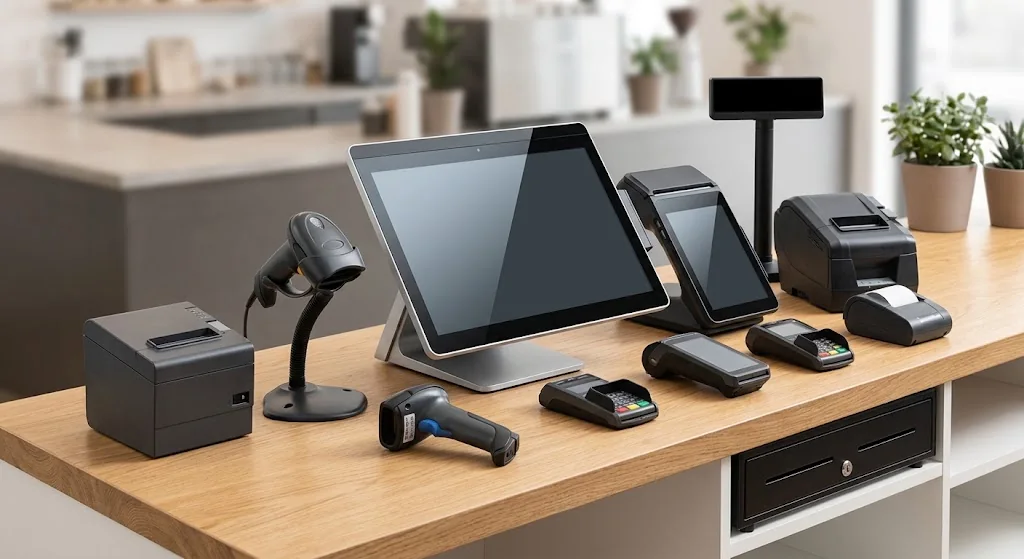
V4G System is the e-invoicing, accounting and tax system. Point of sale is one of its modules. It extends the same system to the counter hardware: a sale on an Android POS terminal or handheld is a real V4G invoice, signed and reported to ZATCA, taken out of stock and posted to the ledger like any other. Receipt printers, barcode scanners and label printers are supported too. And a terminal is optional: any Android phone with the V4G app runs the same POS module.
The POS module was written against Sunmi, so Sunmi devices have the highest compatibility: the browser, an 80mm printer and often a scanner in one box, with the V4G Android app running natively. A scanner must be a 2D imager to read the QR codes the system prints.
No terminal needed
Your Android phone is a till too.
A POS terminal is an option, not a requirement. Install the V4G app on any Android phone or tablet and it runs the same POS module: the camera scans barcodes and QR codes, a pocket Bluetooth printer prints the receipt, and every sale is the same ZATCA invoice a counter terminal would raise.
- Any Android phone or tablet running Android 7 or later
- The camera as a barcode and QR scanner, with a beep on every read
- Thermal receipt printers over Bluetooth or USB, on 58mm or 80mm paper
- Fingerprint or face sign-in, and updates that install from inside the app
- Downloaded from your own V4G system: "Get the app", in the menu
The app is for Android. On an iPhone the whole system runs in Safari, with every screen already sized for a phone.
New · v4g AI
Ask your books a question.
An assistant that answers from your own data, strictly read-only and only within what each user is allowed to see. Connect the provider you already trust: Claude, OpenAI, Gemini or a model on your own server.
API · MCP · AI
Plugs into the tools you already use.
Three ways in, all behind the same permissions. Your store, your spreadsheets and your AI assistant read the same figures your accountant sees, and nothing more than each one is allowed.
The V4G API
A key per integration, each limited to what it needs: products and live stock, customers, invoices with their signed ZATCA XML, statements, aging and the financial statements. Stock can be adjusted and items added. Full reference in the product, as a page and a PDF.
MCP connector
Point Claude, Cursor, GitHub Copilot or Gemini at one address with a key, and ask your books questions from the assistant you already work in. Read only, and only what the key allows.
Server https://your-server/api/mcp
Key v4g_…
v4g AI, built in
A chat on every page, answering in Arabic or English with tables, charts and Excel export. Bring the provider you contract with, or run an open model on your own server.
Connecting an assistant takes a minute
- 1In Settings, open API and MCP Access and create a key. Tick only what the assistant may read.
- 2Copy the ready-made setup for Claude, Cursor, VS Code, Gemini CLI, Windsurf or n8n.
- 3Ask: “What were our sales this month, and which customers owe us most?”
Ask it things like
In your own words, in Arabic or English. The assistant finds the figures itself, and only those its key may read.
- How did sales this month compare with last month? Show it as a chart.
- What is our cash position today, and where did the money go this month?
- Draft a one-page summary of this quarter's income statement for the partners.
- Were all of last week's invoices accepted by ZATCA? List any that failed and why.
- Which customers have owed us for more than 60 days, and how much each?
- Write a polite payment reminder in Arabic to each customer with an overdue balance.
- Which products are close to running out of stock?
- How much did the till take yesterday, by cashier?
Works with
- Stores, ERP and automation, through the API
 Salla
Salla Zid
Zid Shopify
 WooCommerce
 Odoo
Odoo Power BI
 Zapier
 Make
Make n8n
n8n Microsoft Power Automate
- AI models for v4g AI
 OpenAI
 Google Gemini
 Anthropic Claude
 DeepSeek
 ALLaM
ALLaM MiniMax
 Hugging Face Inference
 Groq
Groq OpenRouter
 Ollama
 vLLM®
vLLM® LM Studio
- AI assistants, through MCP
- Claude
 GitHub Copilot
- Gemini CLI
 Cursor
- n8n AI Agent
 Windsurf
And any system that can call a web address with a key: your ERP, CRM or a script of your own.
Trademarks
Names belong to their owners, and no partnership is implied. Store and ERP connections are built through the API, directly or with n8n, Make or Zapier. Anthropic and Claude are trademarks of Anthropic, PBC. OpenAI is a trademark of OpenAI. Google and Gemini are trademarks of Google LLC. GitHub and GitHub Copilot are trademarks of GitHub, Inc. Microsoft, Power BI and Power Automate are trademarks of the Microsoft group of companies. Groq is a trademark of Groq LLC and/or its affiliates. V4G is not affiliated with or endorsed by Groq LLC. vLLM is a registered trademark of LF Projects, LLC. Shopify is a trademark of Shopify Inc. WooCommerce is a trademark of Automattic Inc. Zapier is a trademark of Zapier, Inc. HUMAIN, ALLaM, DeepSeek, MiniMax, Cursor, Windsurf, Ollama, LM Studio, Hugging Face, OpenRouter, Salla, Zid, Odoo, n8n and Make are trademarks of their respective owners.
05
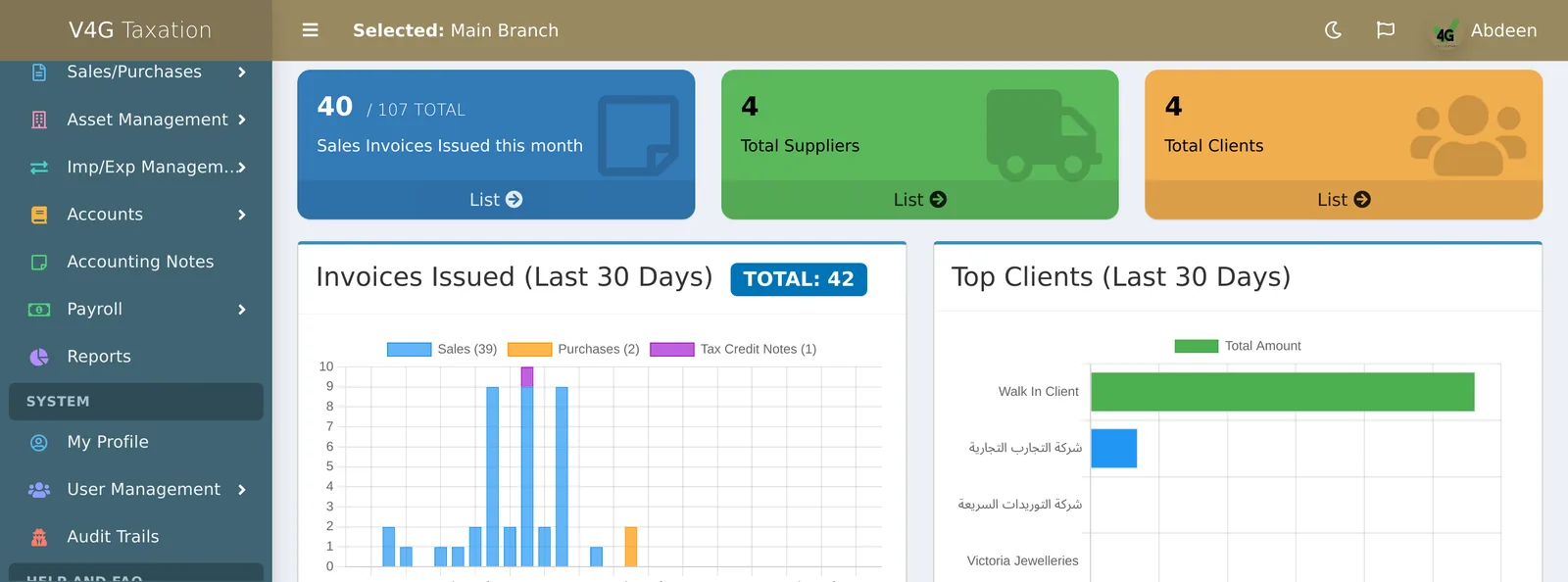
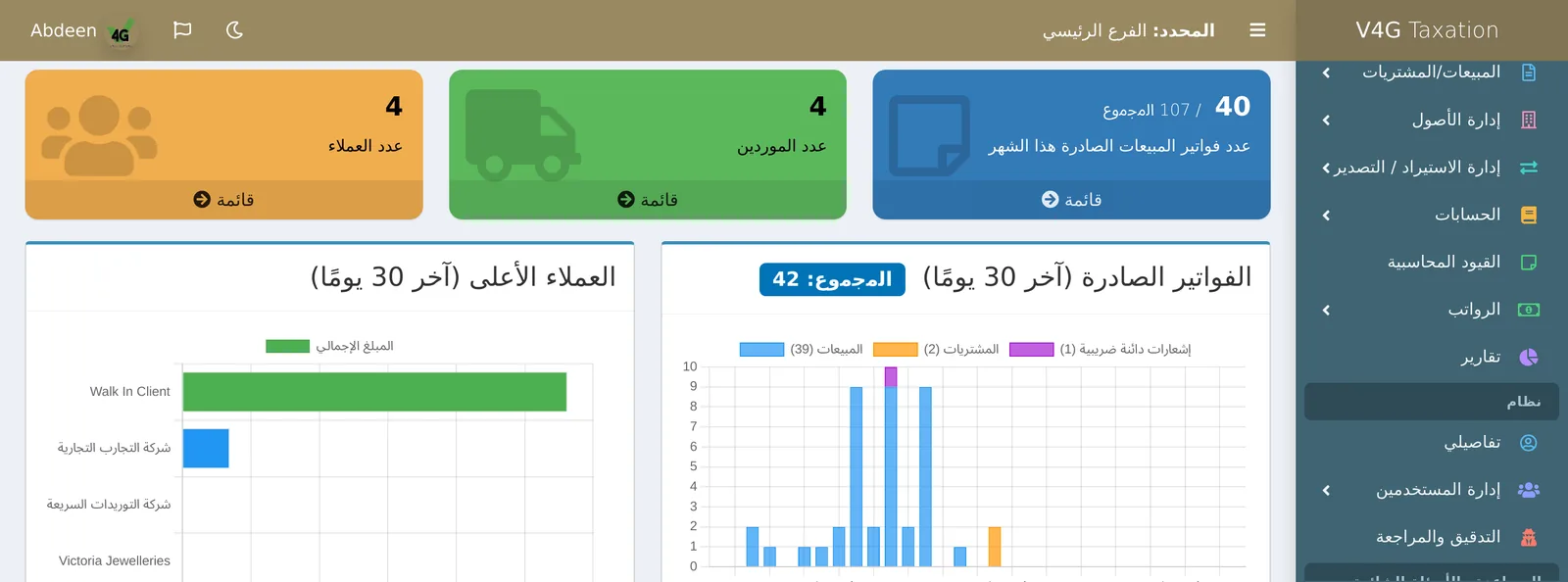
Arabic is not a translation layer.
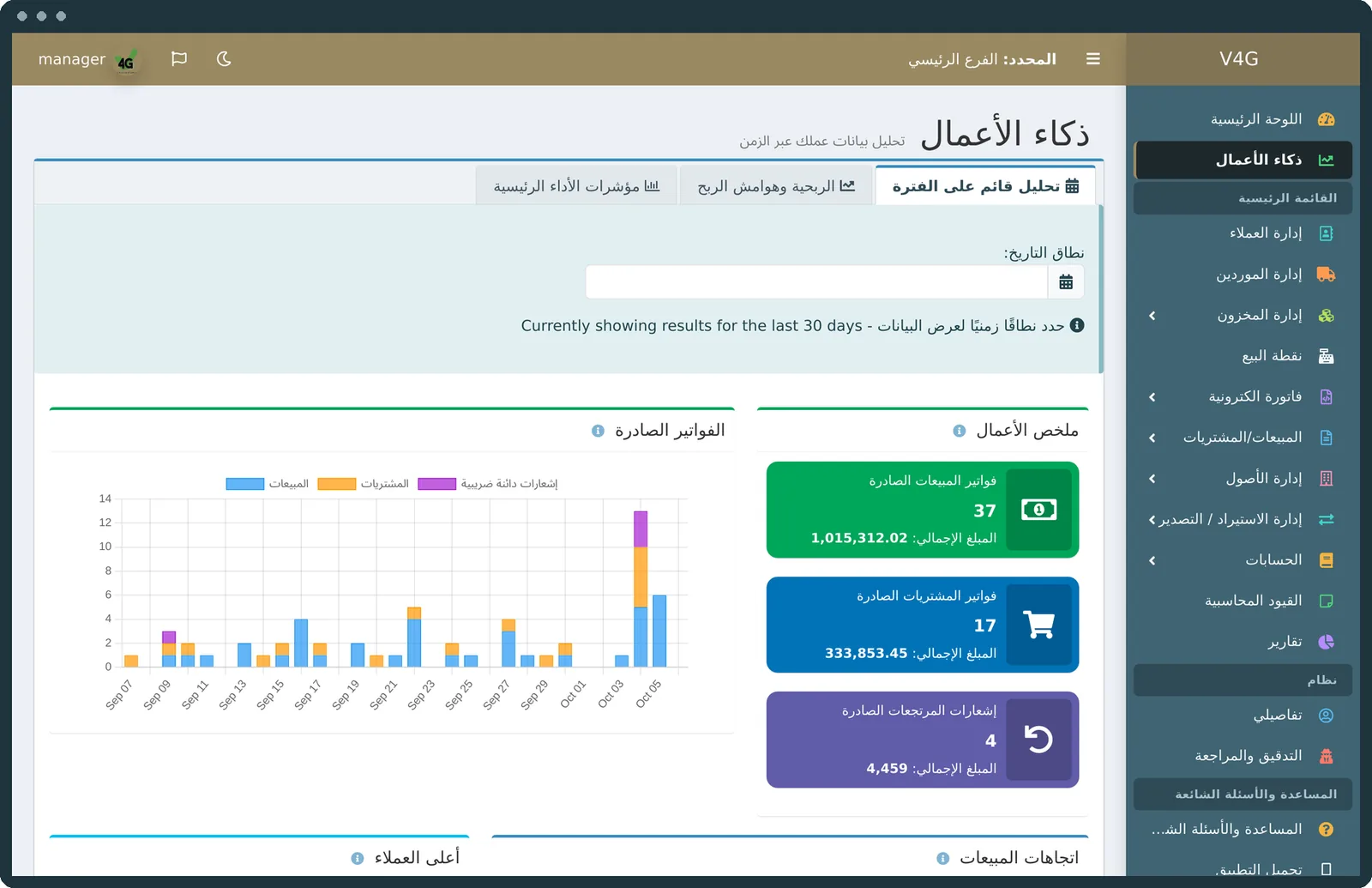
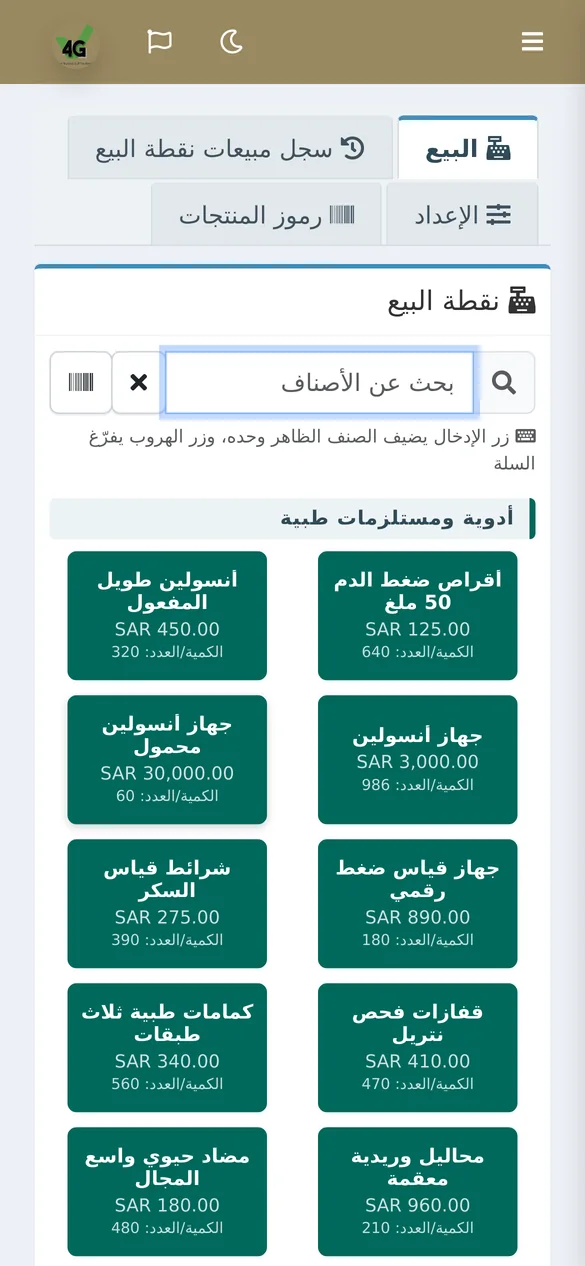
Every screen, report and printed document exists in both languages, properly right to left. The language belongs to the user, so an Arabic-speaking cashier and an English-speaking accountant share one system, each in their own. Drag the slider.
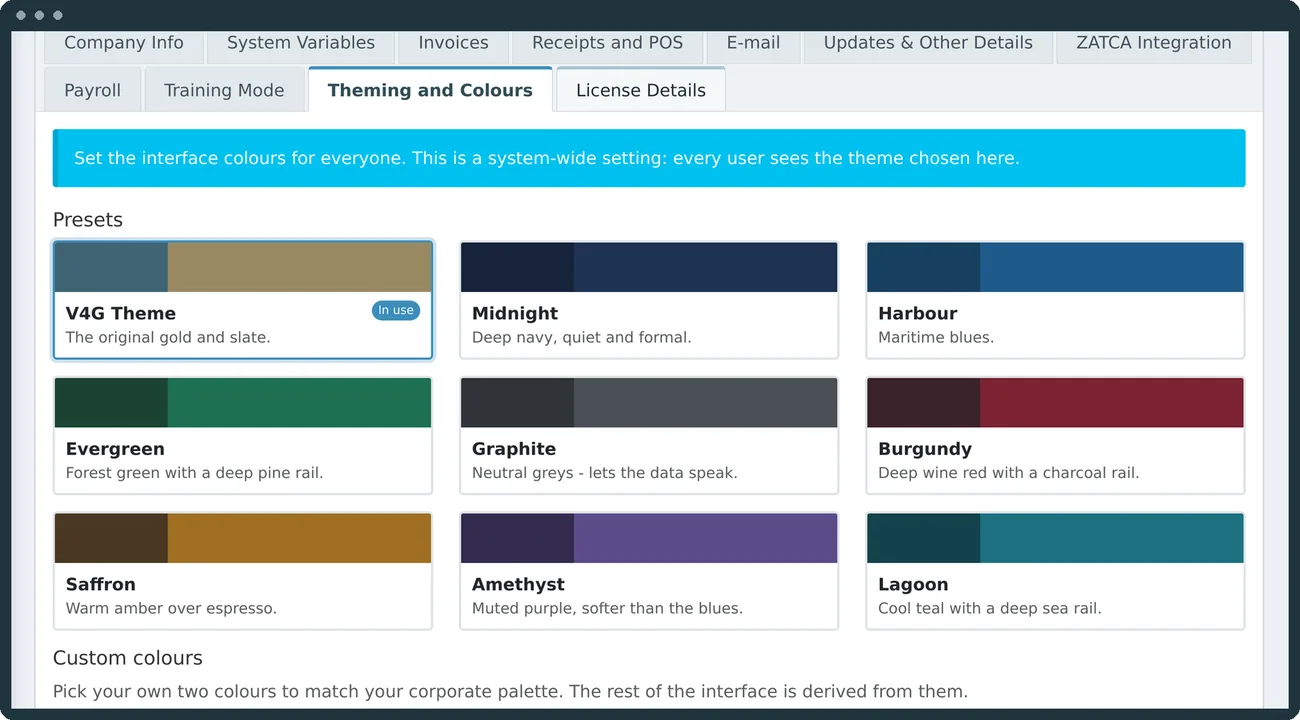
Made to look like yours
Nine colour themes or your own two colours, with light and dark modes derived for you.
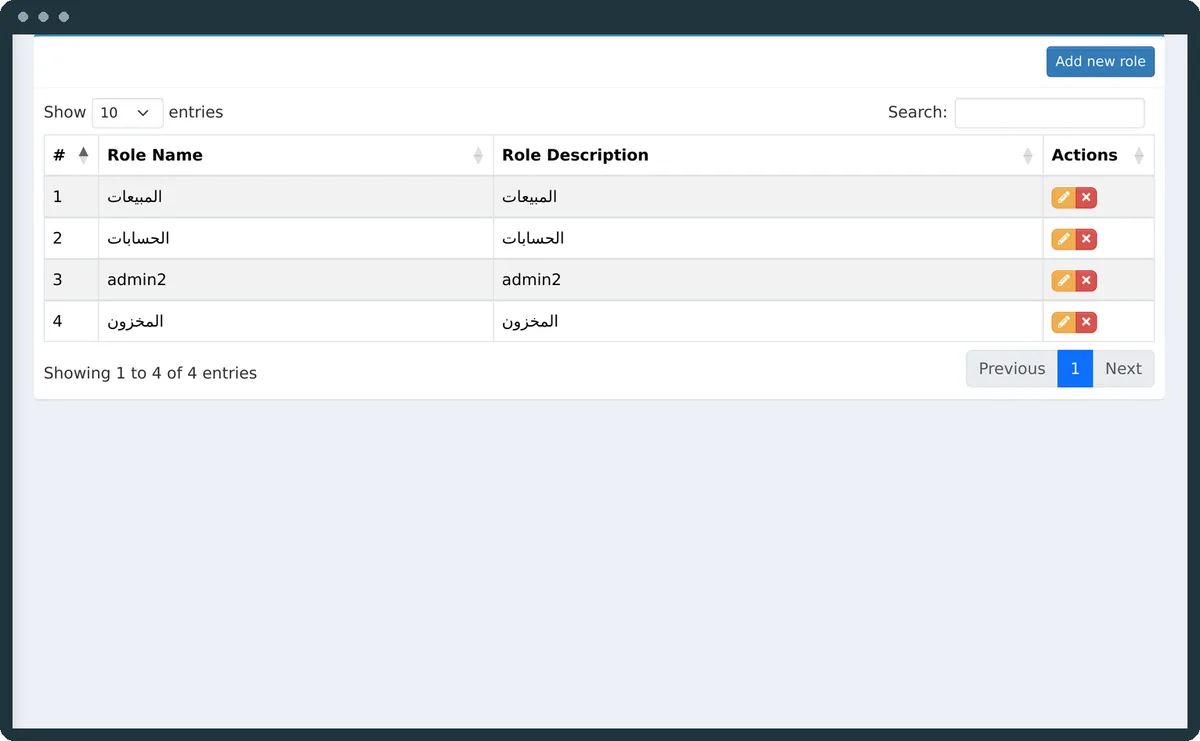
Who may do what
Fine-grained roles and a full audit trail of who did what, and when.
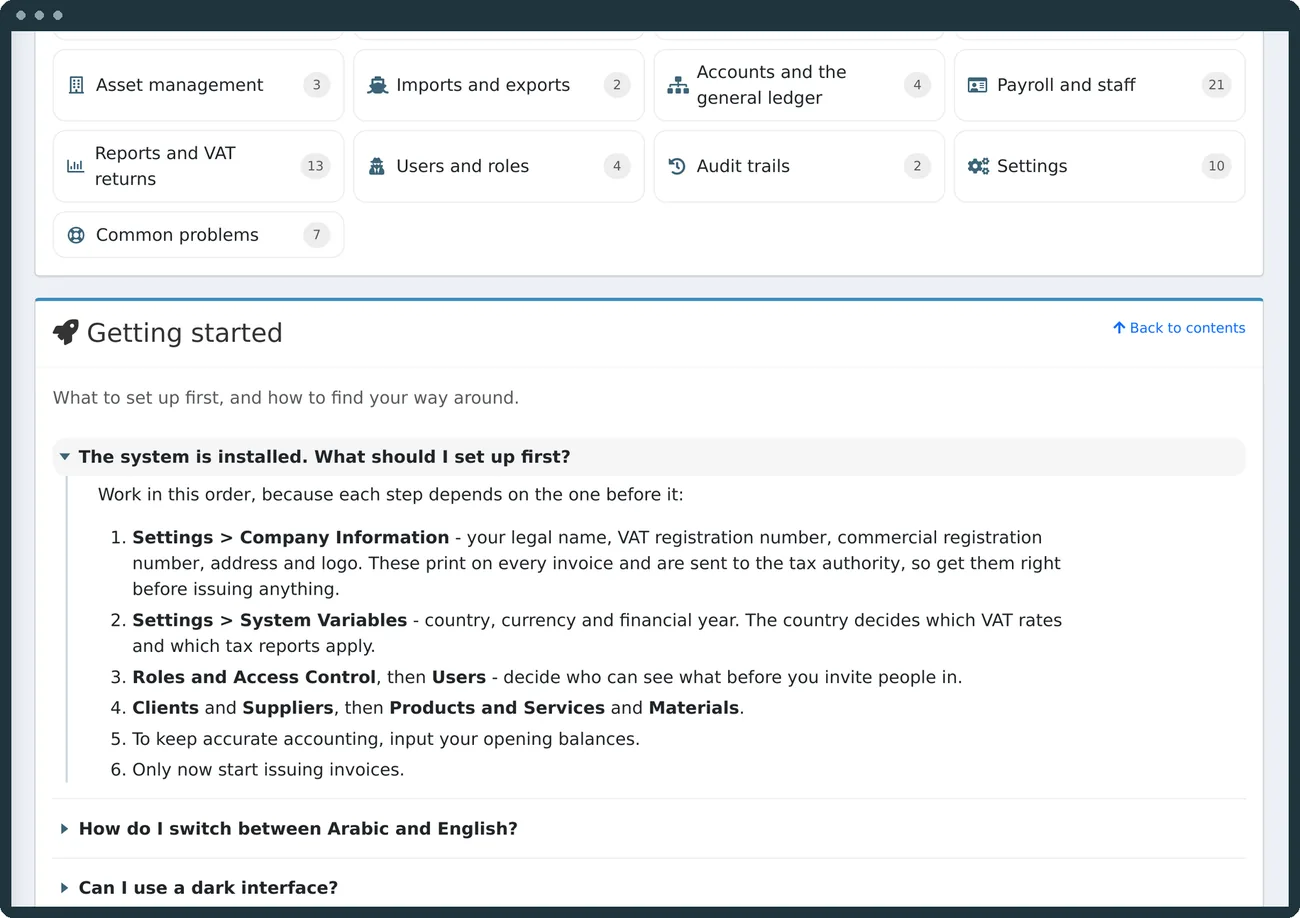
Help, inside the product
163 searchable topics in both languages, open to every user.


On the phone
A native Android app: fingerprint sign-in, camera scanning, Bluetooth receipt printers. On iPhone, the full system runs in Safari.
Built for the whole Gulf
Six regimes. One engine.
Saudi Arabia, the UAE, Bahrain, Kuwait, Oman and Qatar, with pan-Gulf supplies, per-emirate places of supply and export documents in the buyer's currency.
Real screens from a running installation
Take the tour. Drag, scroll, click.
What you get
Your data. Your choice of server.

The invoice, the XML and the ledger. Finally the same document.
In a language your staff read, on a server of your choice. Try it now, nothing to install.
Built and supported by Advanced Systems Solutions, the Gulf's technical partner since 2010.
Contact us
Tell us about your business. We will get back to you.
Send us your details and we will arrange a walkthrough, or reach us directly.